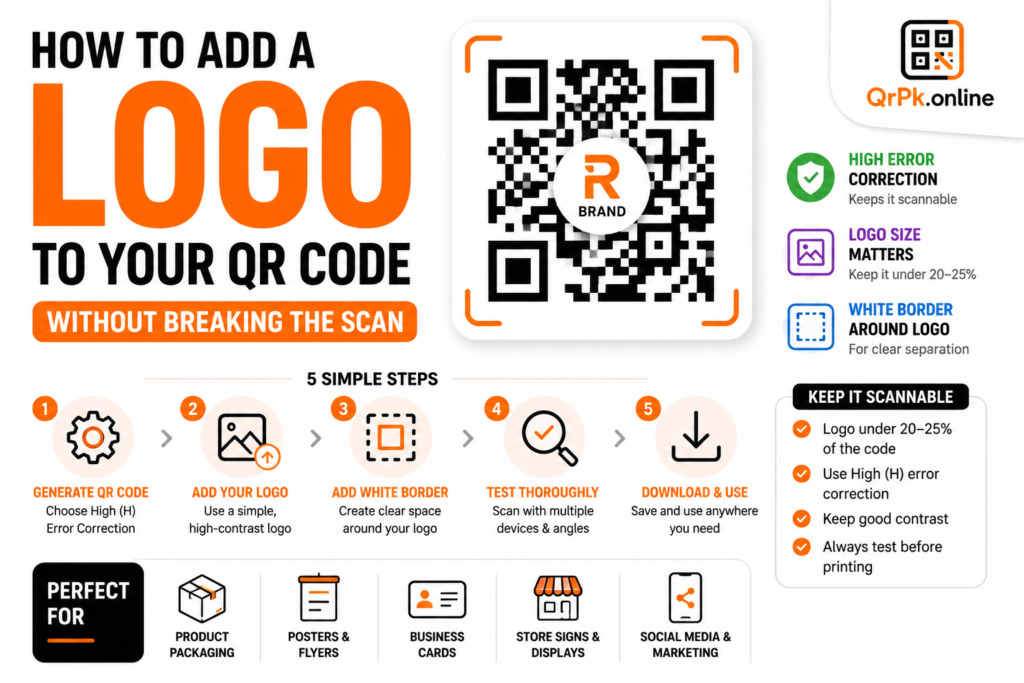
Quick answer: Yes, you can add a logo to the center of a QR code, and it will still scan correctly as long as the logo is small relative to the code and doesn’t cover too much of the pattern. This works because QR codes have built-in error correction that allows a portion of the code to be obscured while still remaining fully readable.
If you’ve ever noticed a QR code with a brand logo neatly sitting in the middle — on a product package, a poster, or an ad — you might have wondered how that actually works without breaking the scan. It’s not a trick or special hack; it’s a built-in feature of how QR codes are designed, and you can do the same thing yourself in a few minutes.
Why QR Codes Can Handle a Logo in the Middle
Every QR code is built with something called error correction — extra redundant data baked into the pattern specifically so the code can still be read even if part of it is dirty, damaged, poorly printed, or partially covered. This is the same reason a slightly scratched or smudged QR code often still scans fine.
QR codes typically offer four levels of error correction:
- Low (L) — can recover about 7% of the code if damaged or covered
- Medium (M) — around 15%
- Quartile (Q) — around 25%
- High (H) — around 30%
For a QR code with a logo in the center, you want to use High (H) error correction, since it allows the largest portion of the code to be covered while still scanning reliably. This is exactly what allows a centered logo to sit on top of the pattern without interfering with the scan.
Step-by-Step: Adding a Logo to Your QR Code
Step 1: Generate your QR code with high error correction. When creating your code using a QR code generator, make sure high error correction is selected if the option is available — this creates the necessary buffer for a logo to sit safely in the center.
Step 2: Keep the logo small — ideally under 20-25% of the code’s total area. This is the most important rule. A logo that’s too large will cover essential parts of the QR pattern that even high error correction can’t compensate for, resulting in a code that fails to scan.
Step 3: Use a simple, high-contrast logo. Complex, detailed logos with lots of fine lines can blend visually with the QR pattern around them and sometimes confuse certain scanner apps. A clean, bold, recognizable version of your logo works better than an intricate one.
Step 4: Add a small white border (quiet zone) around the logo. This creates clear visual separation between your logo and the surrounding QR pattern, making it easier for scanners to distinguish where the code data actually is.
Step 5: Test the final code thoroughly before printing at scale. Scan the logo-embedded code with several different phones if possible (both iPhone and Android), and from a few different distances and lighting conditions. Don’t rely on just one test scan before printing hundreds of copies.
Common Mistakes That Break Logo QR Codes
Making the logo too big. This is by far the most common issue. A logo covering more than about a quarter of the code often overwhelms even high-level error correction, resulting in an unreliable or completely unscannable code.
Placing the logo off-center. QR codes are designed to tolerate damage or coverage roughly symmetrically around the center. A logo placed off to one side can interfere with critical positioning markers (the three square patterns in the corners), which are essential for the scanner to even recognize it as a QR code in the first place.
Using low error correction with a logo. If your generator defaults to low or medium error correction and you add a logo anyway, the code will very likely fail to scan reliably, especially on less capable scanner apps.
Skipping the test scan. It’s tempting to generate a nice-looking code and move straight to printing, but a code that looks fine visually can still fail to scan due to contrast issues, logo size, or printing quality. Always test first.
Does a Logo Make the QR Code Less Reliable Overall?
A well-designed logo QR code, created with proper error correction and reasonable logo sizing, scans just as reliably as a plain code in the vast majority of cases. The key word is “well-designed” — cutting corners on size or contrast is where reliability actually breaks down, not the presence of a logo itself.
For high-stakes uses — like payment QR codes or codes that absolutely must work every single time — some businesses still prefer a plain code without a logo, purely to eliminate any possible point of failure. For general marketing, packaging, or branding purposes, a properly sized logo is a safe and common choice used by major brands everywhere.
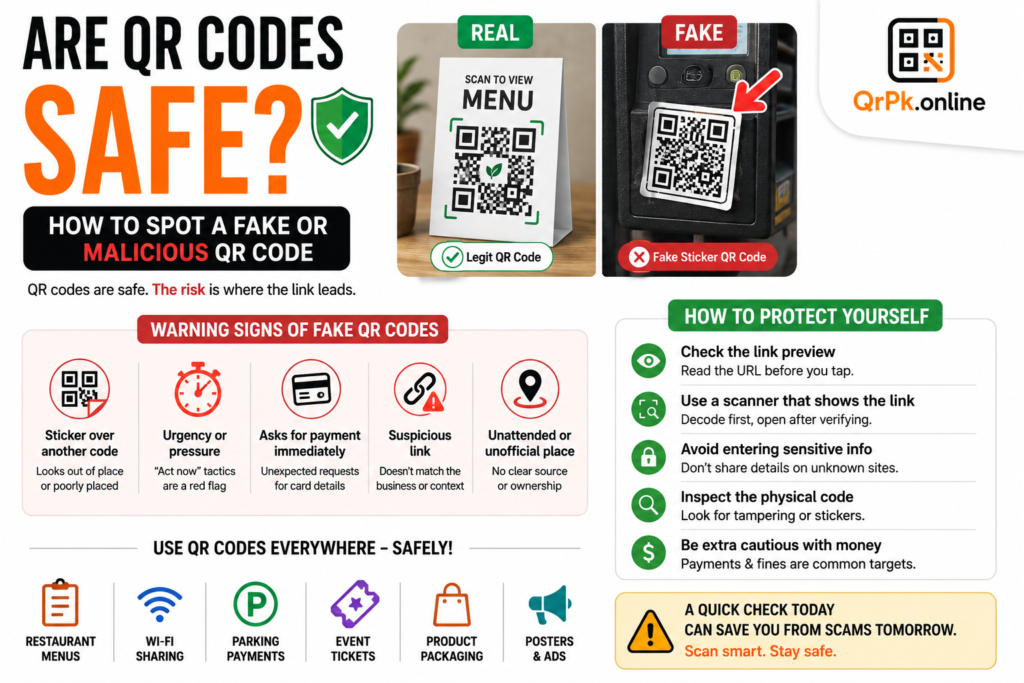
Also Read > Are QR Codes Safe? How to Spot a Fake or Malicious QR Code
Frequently Asked Questions
Will adding a logo make my QR code harder to scan?
Not if it’s sized correctly (under roughly 20-25% of the code) and paired with high error correction. Beyond that size, scan reliability drops significantly.
What’s the best error correction level for a QR code with a logo?
High (H) error correction is recommended, since it allows the largest portion of the code to be covered or obscured — including by a centered logo — while still remaining scannable.
Can I use any image as a QR code logo?
Technically yes, but simple, high-contrast, recognizable logos work far more reliably than detailed or low-contrast images, which can blend into the surrounding pattern.
Do I need special software to add a logo to a QR code?
No — many free online QR code generators support adding a logo directly during code creation, without needing any separate design software.
Final Thought
Adding a logo to a QR code is a small design touch that makes it feel noticeably more branded and intentional, and it’s far easier to do correctly than most people assume — as long as you respect the size limit and use proper error correction. Test before you print at scale, and you’ll get a code that looks polished without sacrificing reliability.
- How to Create a QR Code for JazzCash, Easypaisa, or Bank Transfer Payments
- How to Create a WhatsApp QR Code (Click-to-Chat, No Coding Needed)
- How to Create a QR Code Menu for Your Restaurant (Free, Step-by-Step)
- How to Add a Logo to Your QR Code (Without Breaking the Scan)
- Are QR Codes Safe? How to Spot a Fake or Malicious QR Code