Let’s be honest — nobody sits down and thinks, “You know what sounds fun today? Creating a new password.” Most of us either reuse the same one everywhere (bad idea) or click “forgot password” so often that our email inbox looks like a support ticket log for our own brain.
But here’s the thing: weak passwords are one of the easiest ways hackers get into your accounts. Not through some Hollywood-style hacking scene with green code flying across a screen — just simple guessing, leaked password lists, and bots trying combinations thousands of times a second. If your password is “password123” or your dog’s name plus your birth year, it’s probably already on a list somewhere.
So let’s fix that today, in plain language, no tech jargon.
Why “Just Add a Number and a Symbol” Isn’t Enough Anymore
For years, the advice was: use a capital letter, a number, and a special character. Something like Karachi123!. Sounds secure, right? Not really. Hackers know this pattern too. Password-cracking tools are built around exactly these habits — capital letter at the start, number at the end, one symbol thrown in. It’s predictable, and predictable is the opposite of secure.
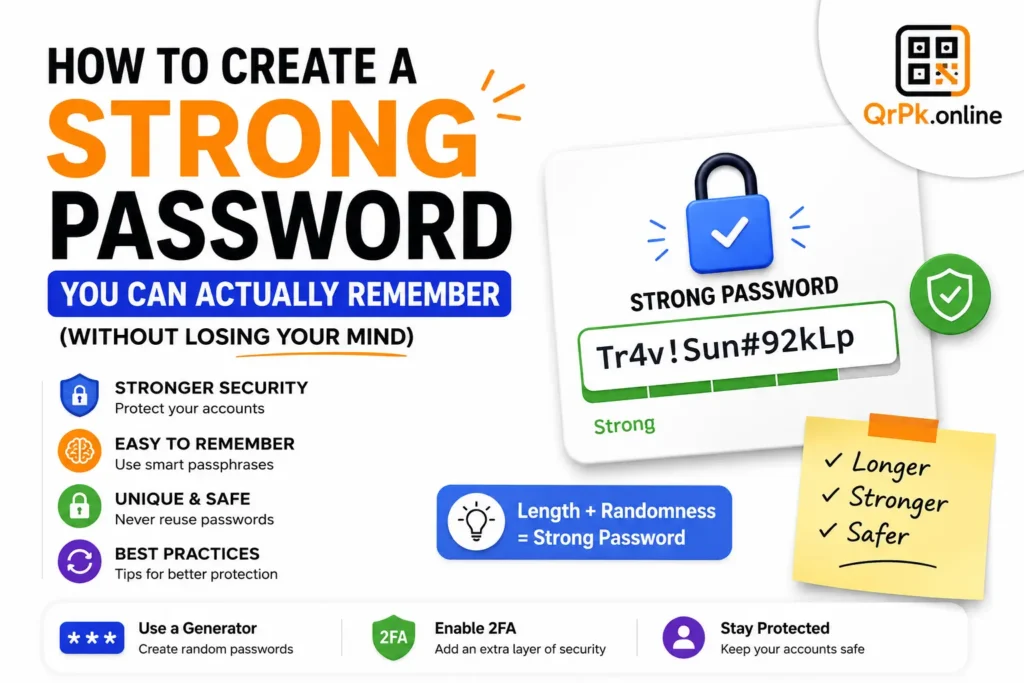
What actually matters is length and randomness. A password like xT7!qL9#mZ2@ is far stronger than Pakistan2026! even though the second one “looks” more complicated to us. Random characters take exponentially longer to crack than predictable patterns, no matter how clever the pattern feels.
The Real Problem: Remembering Random Passwords
Here’s where most advice falls apart. Security experts say “use random passwords,” but then expect you to somehow memorize fifteen different random strings for every account you own. Nobody can do that reliably, which is exactly why people end up reusing the same password everywhere — and that’s arguably worse than having a slightly weaker unique password for each site.
There are really only two honest solutions to this:
- Use a password manager. These are apps that generate and store random passwords for you, so you only need to remember one master password.
- Use a passphrase instead of a password, when the account allows it — something like
PurpleTrain$RunsFast92, which is long, memorable, and still hard to guess because it’s not a real sentence anyone would predict.
Either way, the starting point is the same: you need a way to actually generate strong, random passwords instead of making them up in your head. Our brains are bad at randomness — we default to birthdays, names, and keyboard patterns like “qwerty” without even realizing it.
This is exactly why a random password generator is worth bookmarking. Instead of trying to invent a “clever” password, you let the tool create a truly random one in a second, choose how long you want it, and whether to include symbols, numbers, or both.
What Actually Makes a Password Strong
Let’s break it down simply:
Length beats complexity. A 16-character password made of just lowercase letters can be harder to crack than an 8-character password packed with symbols. If you can only remember one rule, remember this one — longer is almost always better.
Uniqueness matters more than people think. If you use the same password on ten websites and just one of those sites gets breached (which happens more often than you’d guess), all ten of your accounts are now at risk. This is called credential stuffing, and it’s one of the most common ways accounts get hijacked.
Avoid anything guessable from your social media. Pet names, birthdays, favorite sports teams — if it’s on your Instagram bio or your Facebook “About” section, don’t use it in a password. Automated tools scrape this information specifically to guess passwords.
Don’t reuse old passwords with minor tweaks. Changing “Summer2025!” to “Summer2026!” doesn’t count as a new password to a hacker who already knows your pattern.
A Simple System That Actually Works
If a password manager feels like too much setup right now, here’s a lighter approach:
- Use a password generator to create a strong, random password for your most important accounts — email, banking, and anything tied to payments.
- For less critical accounts, use a memorable passphrase of three or four unrelated words plus a number, like
Mango-Bicycle-Thunder47. - Never reuse your email password anywhere else. Your email is the recovery key to almost every other account you own, so if it’s compromised, everything else becomes vulnerable too.
- Turn on two-factor authentication (2FA) wherever it’s offered. Even a strong password isn’t perfect protection, but 2FA adds a second wall that stops most automated attacks cold.
Common Questions About Password Security
How long should a strong password be? Aim for at least 12 characters, though 16 or more is even safer. Every extra character makes a brute-force attack dramatically harder.
Is it safe to use an online password generator? A good password generator creates the password locally in your browser and doesn’t store or send it anywhere. It’s simply a faster, more reliable way to get randomness than trying to think one up yourself.
Should I change my passwords regularly even if nothing’s wrong? Frequent forced changes aren’t as useful as once believed — what actually matters is changing a password immediately if a service you use reports a breach, and making sure each account has its own unique password in the first place.
What’s the difference between a password and a passphrase? A password is usually a short string of random characters. A passphrase is a longer string of unrelated words, which is often easier to remember and, if long enough, just as secure — sometimes more so.
Final Thought
Creating a strong password doesn’t have to be stressful. The trick is simply not relying on your own memory to invent randomness — that’s a job better left to a tool built for it. Take two minutes, generate a password you don’t have to overthink, and move on with your day knowing that one more account is a lot harder to break into.
If you haven’t tried it yet, our free random password generator lets you create secure passwords instantly, right in your browser — no sign-up, no downloads, just a stronger password when you need one.