If you’ve ever run a small shop, sold products online, or managed inventory for even a modest side business, you’ve probably hit a point where you thought, “I need barcodes for this — but hiring someone or buying expensive software feels like overkill for what I actually need.” You’re not wrong to feel that way. The good news is that creating barcodes doesn’t require special equipment, design software, or any technical background at all.
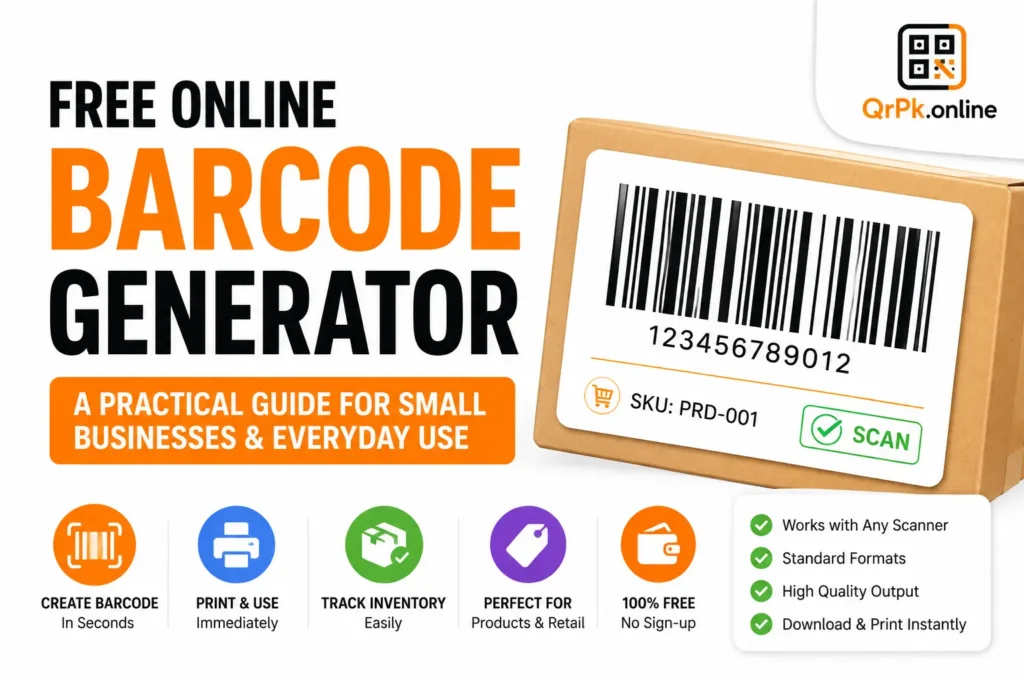
Let’s walk through what barcodes actually are, why small businesses still rely on them even in a world full of QR codes and digital tracking, and how to generate one for free in under a minute.
Wait, Aren’t Barcodes Kind of Old Technology?
It’s a fair question, especially with QR codes getting so much attention lately. But barcodes haven’t gone anywhere — they’re still the backbone of retail, inventory management, and logistics worldwide. The reason is simple: barcodes are extremely fast and reliable to scan, they work with basically every point-of-sale (POS) system and barcode scanner ever made, and they’re the industry standard that suppliers, retailers, and shipping companies all expect.
QR codes are great for linking to websites, menus, or digital content. Barcodes, on the other hand, are built specifically for identifying physical products — matching an item to a price, a stock count, or a product listing in a database. Different tools, different jobs.
Common Situations Where You’ll Need a Barcode
Starting a small retail or online store. If you’re selling physical products — whether in a shop, at a market stall, or through an online store — you’ll likely need barcodes for pricing, checkout, and inventory tracking. Many POS systems and e-commerce platforms expect a barcode number (like a UPC or EAN) attached to each product listing.
Managing inventory for a growing business. Even without a customer-facing storefront, barcodes make internal stock tracking dramatically easier. Instead of manually counting and logging items, a quick scan tells you exactly what’s in stock and updates your records instantly.
Creating product labels for a small manufacturing or craft business. If you make and sell your own products — candles, baked goods, handmade items — retailers or marketplaces you supply to may require a standard barcode before they’ll stock your product.
Organizing personal or office assets. Barcodes aren’t just for retail. Libraries, offices, and even personal collectors use them to track equipment, books, or inventory without needing a full retail setup.
Also Check > How to Scan a QR Code Without Downloading an App (And When You Actually Need One)
How to Generate a Barcode for Free
Traditionally, getting a proper barcode meant registering for a company prefix through GS1 (the official global barcode standards organization) and paying ongoing fees — a real hurdle for someone just testing an idea or running a small operation. For official retail distribution through major stores, that’s still often necessary.
But for everyday business needs — pricing labels, internal inventory, small-scale selling, or general organizational use — a free online barcode generator gets the job done without any of that overhead. Here’s the basic process:
- Decide what type of barcode you need. The most common formats are CODE128 (flexible, widely supported, good for general use) and EAN/UPC (standard for retail products sold through major stores).
- Enter the number or text you want encoded — this could be a product ID, SKU, or any identifier your system uses.
- Generate the barcode instantly and download it as an image.
- Print it directly onto labels, packaging, or product tags.
That’s really it. No software installation, no design skills required. Our free online barcode generator handles this entire process in your browser, letting you create and download a barcode in seconds.
Barcode vs QR Code: Which One Should You Actually Use?
This comes up a lot, so it’s worth addressing directly. The honest answer is: it depends on what you’re trying to do.
- Use a barcode when you need to identify a physical product for sale, tracking, or inventory — especially if you’re working with retail systems, POS software, or suppliers who expect standard barcode formats.
- Use a QR code when you want to link to digital content — a website, a menu, contact details, or a promotional page — or when you need to store more information than a simple number, like a full URL.
Many small businesses actually end up using both: a barcode on the product packaging for checkout and inventory, and a QR code somewhere on the label linking to more information, like care instructions, a video, or a discount page.
A Few Practical Tips for Printing Barcodes
- Always test-scan a printed barcode before mass-producing labels. Print quality, size, and paper type can all affect scan reliability.
- Keep barcodes reasonably sized — shrinking them too small to save space often makes them unreadable by standard scanners.
- Use high-contrast printing (black on white works best) and avoid glossy or reflective label materials that can cause glare during scanning.
- Leave a small quiet zone (blank space) around the barcode, since scanners rely on that margin to properly detect where the code starts and ends.
Frequently Asked Questions
Do I need to register my barcode with GS1 to use it?
Only if you plan to sell through major retail chains or large marketplaces that require officially registered UPC/EAN numbers. For internal use, small-scale selling, or personal organization, a generated barcode works perfectly well without registration.
What’s the difference between CODE128 and UPC/EAN barcodes?
CODE128 is flexible and can encode letters, numbers, and symbols, making it great for internal SKUs or general use. UPC/EAN formats are numeric-only and follow strict retail industry standards, which is why they’re required for products sold in major stores.
Can I create a barcode for free?
Yes — generating the barcode image itself is free using an online tool. The cost only comes in if you need an officially registered product number through GS1 for large-scale retail distribution.
Will any barcode scanner be able to read a barcode I generate online?
As long as you choose a standard, widely supported format like CODE128 or EAN/UPC and print it clearly, most standard barcode scanners and POS systems will read it without issue.
Final Thought
Barcodes might feel like old-school technology, but they remain one of the most reliable, universally supported tools for identifying physical products — and creating one no longer requires special software or technical know-how. Whether you’re setting up a small shop, organizing inventory, or labeling handmade products, a free online generator gets you a usable, scannable barcode in less time than it took to read this sentence.
- How to Create a QR Code for JazzCash, Easypaisa, or Bank Transfer Payments
- How to Create a WhatsApp QR Code (Click-to-Chat, No Coding Needed)
- How to Create a QR Code Menu for Your Restaurant (Free, Step-by-Step)
- How to Add a Logo to Your QR Code (Without Breaking the Scan)
- Are QR Codes Safe? How to Spot a Fake or Malicious QR Code
- How to Reduce Image Size for Email, WhatsApp, or Website Uploads (Without Ruining Quality)
- How to Make a QR Code for Your Instagram Profile (Free, in Under a Minute)
- Static vs Dynamic QR Code: What’s the Difference and Which One Should You Use?